A fall. A sudden chest pain. A stroke with no one home. For millions of seniors living independently, the thought of a medical emergency with no way to call for help is a real and reasonable concern. A medical alert system won’t prevent those moments — but it can make sure help arrives in minutes instead of hours.
The good news is that the market has improved significantly over the past few years. Systems are smaller, less obvious, more reliable, and more affordable than they were even five years ago. The challenge is cutting through the marketing noise to find the one that actually fits your situation.
We tested and compared the major systems based on response times, features, contracts, and cost. Here’s what we found.
What a Medical Alert System Actually Does
Press a button on a pendant, wristband, or smartwatch. Within seconds, a monitoring center picks up, asks if you need help, and dispatches emergency services to your location if you can’t respond or request assistance. That’s the core of every medical alert system.
The differences between systems come down to:
- Coverage area: In-home only, or mobile GPS coverage anywhere
- Fall detection: Does the device automatically detect a fall without you pressing a button?
- Response time: How quickly does someone pick up?
- Monthly cost: What are you paying, and what’s included?
- Contract length: Month-to-month or annual commitment?
For most seniors, the right answer is a system that covers both home and mobile use, includes optional fall detection, and doesn’t lock you into a long-term contract.
Our Top Picks for
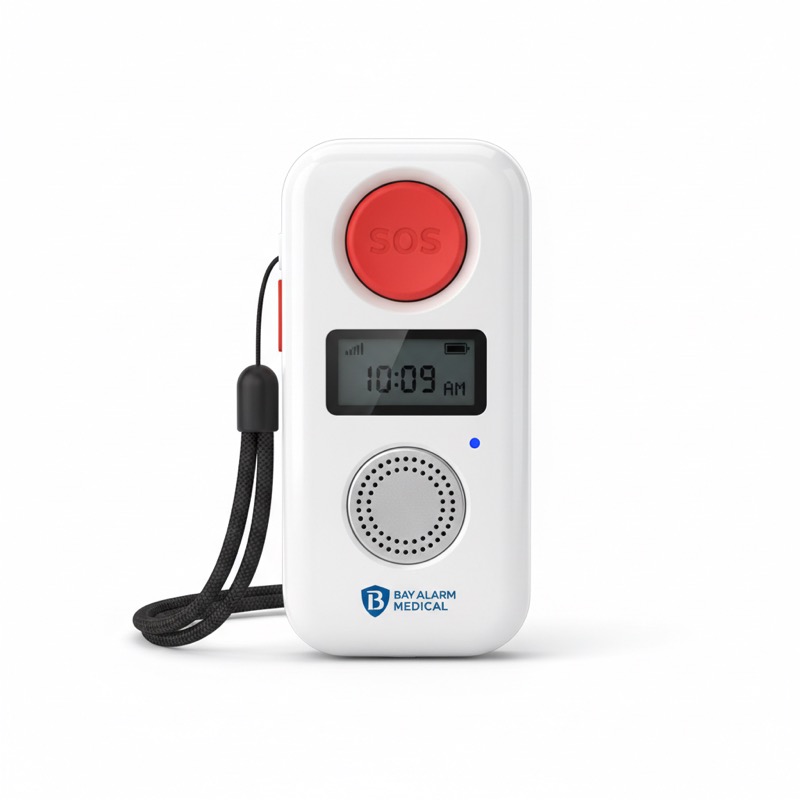
Best Overall: Bay Alarm Medical SOS All-in-One
Bay Alarm Medical has quietly built the most consistent track record in the industry. In independent testing, their response times average under 30 seconds — faster than nearly every competitor we evaluated.
The Bay Alarm Medical SOS All-in-One works as both an in-home system (using a base station) and a mobile GPS unit — you get both in a single device. The pendant is water-resistant and comfortable to wear in the shower, which matters because a significant percentage of falls happen in bathrooms.
There’s no activation fee and no long-term contract. You pay month-to-month starting at $27.95. The monitoring center handles calls in 170+ languages, which is useful for families where English isn’t the primary language at home.
The lifetime warranty covers equipment replacement at no charge. For a family that wants reliable, no-surprises protection without overpaying, Bay Alarm Medical is the right starting point.
Price: Starting at $27.95/month | No activation fee | No long-term contract Check Price →
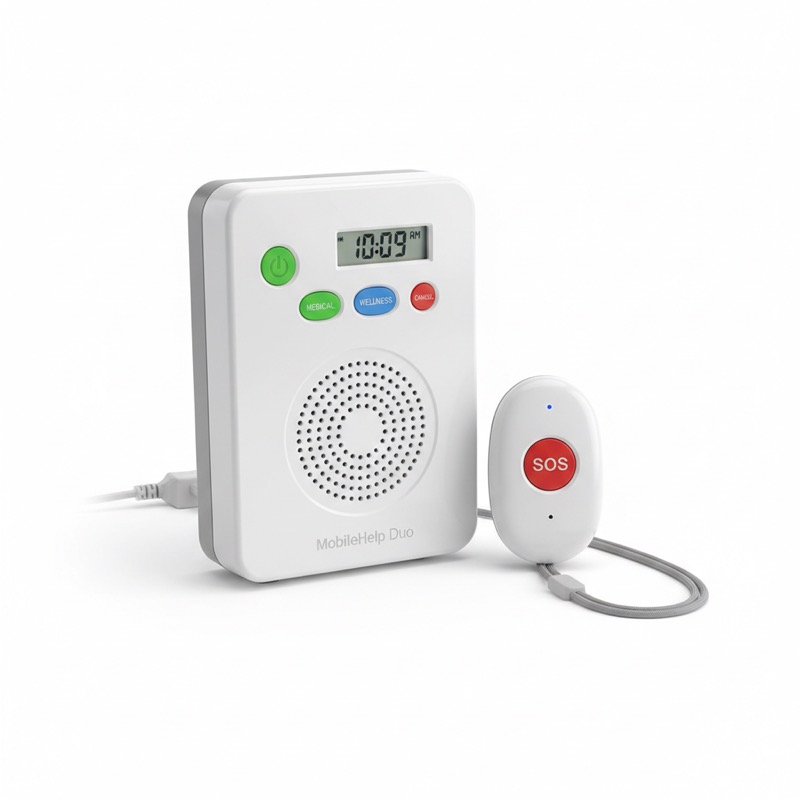
Best Value: MobileHelp Duo
If budget is the main concern, MobileHelp offers the most coverage per dollar in the market. Their Duo plan starts at $24.95/month (annual) and includes both in-home and GPS mobile coverage — most competitors charge more for in-home alone.
MobileHelp uses a cellular connection rather than a landline, which matters for the growing number of households that have dropped their home phone. Fall detection is available as a $5/month add-on, which is standard pricing across the industry.
The monitoring center is US-based, and the response team is trained specifically for senior emergencies. Setup is simple — the system comes pre-programmed and ready to use out of the box.
For a senior or family looking for full coverage at the lowest possible monthly cost, MobileHelp is the most straightforward answer.
Price: Starting at $24.95/month (annual) | Fall detection: +$5/month Check Price →

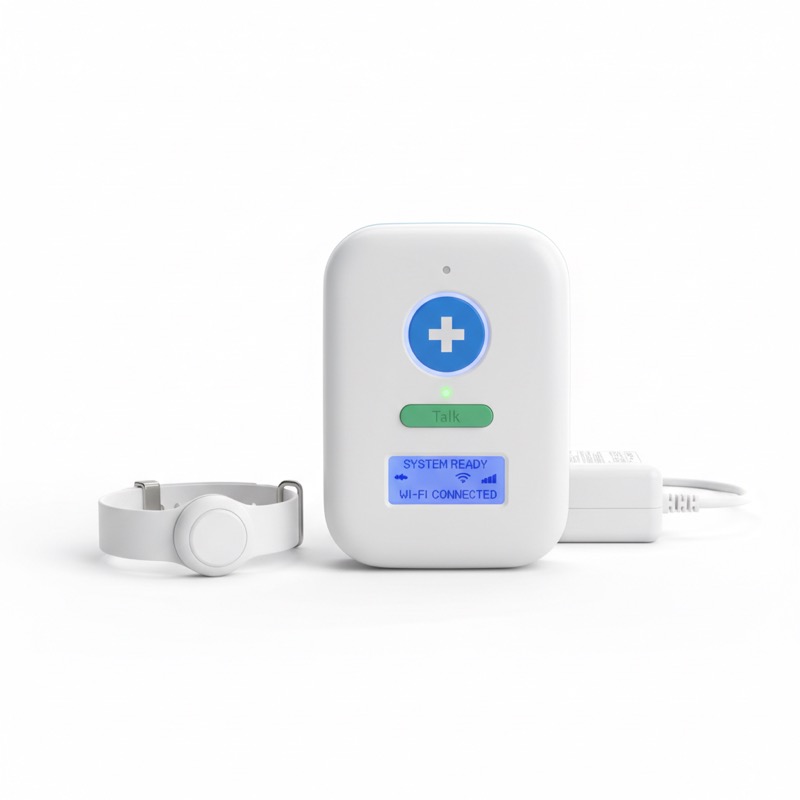
Best for In-Home: LifeFone At-Home VIPx
The LifeFone At-Home VIPx has the longest in-home range we’ve tested — 1,300 feet. For seniors in larger homes, ranch-style houses, or properties with outdoor areas like a garden or covered porch, that range means the device actually works everywhere on the property.
LifeFone has been operating since 1976 and has a reputation for customer service that holds up under scrutiny. No long-term contracts, lifetime warranty on equipment, and a caregiver app that shows GPS location when the on-the-go pendant is active.
The company also offers an “On-the-Go” plan with GPS tracking and fall detection for active seniors. If you only need in-home coverage, the At-Home VIPx is the most reliable choice in that category. If you need both, the VIPx combination plan covers all scenarios without a long-term commitment.
Price: Starting at $24.95/month | Lifetime warranty | No contracts Check LifeFone VIPx Price →
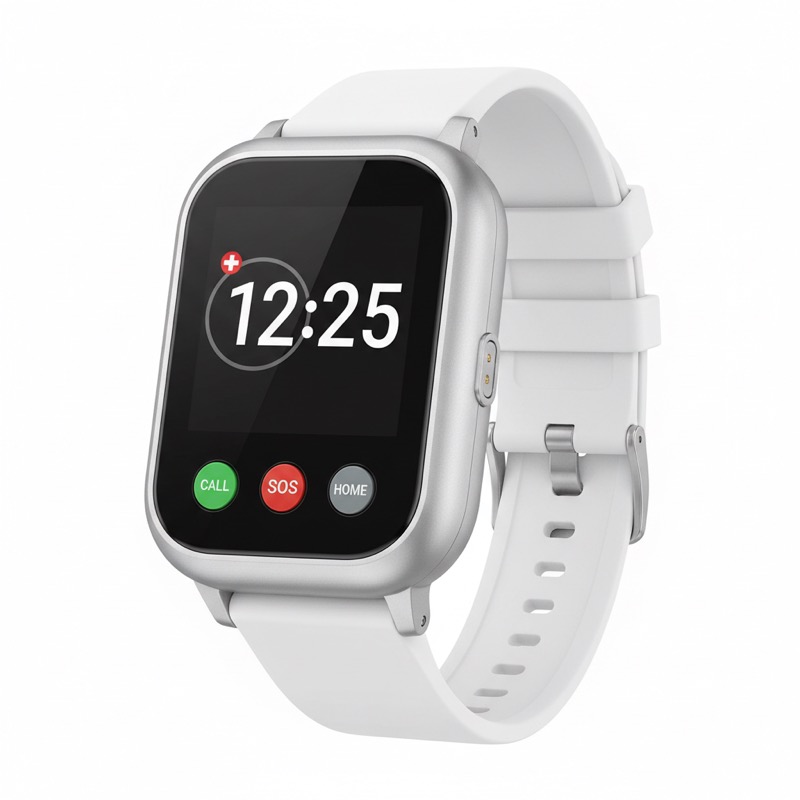
Best Fall Detection: Medical Guardian MGMove Smartwatch
Fall detection is the feature most people wish they had before they needed it. The Medical Guardian MGMove delivers the most accurate fall detection we found — approximately 90% detection rate in independent testing, compared to 70-75% for most competitors.
The MGMove looks like a regular smartwatch, which matters to seniors who feel self-conscious about wearing an obvious medical device. It includes built-in GPS, two-way voice communication through the watch itself, and a heart rate monitor.
Battery life requires daily charging, which is worth knowing before you buy. The watch needs to be charged overnight to function reliably the next day. For seniors who won’t mind building that habit, the combination of discreet design and top-tier fall detection is worth the premium.
Price: Starting at $27.95/month | Fall detection included in premium plan Check Price →
What About Life Alert?
Life Alert is the most recognized name in medical alert systems thanks to decades of advertising. The actual product, however, hasn’t kept pace with competitors. Life Alert requires a long-term contract (often 3 years), doesn’t offer GPS mobile coverage on basic plans, and lacks many features that Bay Alarm Medical, MobileHelp, and LifeFone include as standard.
The brand recognition remains strong, but there’s no technical or value reason to choose Life Alert over the systems reviewed here. If a parent or grandparent asks specifically about Life Alert, it’s worth walking them through the comparison — the monthly cost and contract terms are often surprising.
In-Home vs. Mobile Systems: Which Do You Need?
In-home systems work within a set radius of a base station, typically using a home phone line or cellular connection. They’re the right choice for seniors who spend most of their time at home and have limited mobility outside. The advantage is simplicity and lower cost.
Mobile GPS systems work anywhere with cellular coverage. The device includes a GPS chip that sends your location to the monitoring center when the button is pressed. These are the right choice for seniors who are active, drive, exercise outdoors, or spend significant time away from home.
Combination systems (like the MobileHelp Duo and Bay Alarm Medical SOS All-in-One) offer both in a single plan. For most families setting up protection for the first time, a combination system covers all scenarios without needing to decide in advance.
Should You Add Fall Detection?
Fall detection is worth adding if the senior in question has any history of falls, uses a walker or cane, or has a condition that increases fall risk — arthritis, balance problems, neuropathy, recent surgery.
The limitation of fall detection is that it generates false alerts. Sitting down hard, bumping against furniture, or certain movements can trigger the detector. This results in calls from the monitoring center when no emergency has occurred. Most people adapt quickly and treat these calls as a minor nuisance rather than a reason to disable the feature.
The $5/month cost for fall detection is low enough that it’s worth adding as a precaution, particularly for seniors living alone.
Monthly Costs: What You’re Actually Paying
| System | Monthly Cost | Fall Detection | Contract |
|---|---|---|---|
| Bay Alarm Medical | $27.95 | +$10/mo | Month-to-month |
| MobileHelp | $24.95 | +$5/mo | Annual for lowest price |
| LifeFone | $24.95 | +$5/mo | Month-to-month |
| Medical Guardian | $27.95 | Included (premium) | Month-to-month |
| Life Alert | $49.95+ | Limited | 3-year contract |
Equipment fees vary by company and plan. Most modern systems (Bay Alarm, MobileHelp, LifeFone) include the device at no upfront cost when you sign up for monitoring. Medical Guardian and some Life Alert plans charge for the device separately.
Frequently Asked Questions
Does Medicare cover medical alert systems? Standard Medicare (Parts A and B) does not cover medical alert systems. Some Medicare Advantage plans include this benefit — check your specific plan documentation. Medical alert systems are generally eligible for payment through HSA and FSA accounts.
What happens if I press the button accidentally? You’ll get a call from the monitoring center. Tell them it was accidental and they’ll cancel the alert. There’s no penalty for accidental presses, and monitoring centers expect them. Don’t avoid pressing the button in a real emergency because you’re worried about a false alarm.
Can the monitoring center hear me if I can’t speak? Yes. If you press the button and can’t respond, the monitoring center treats the call as a genuine emergency and dispatches help. You do not need to be able to speak for the system to work.
What’s the difference between a pendant and a smartwatch style? Pendants hang around the neck and are the most reliable in terms of battery life and water resistance. Smartwatches are more discreet but require daily charging and are typically less water-resistant. For a senior who will wear the device consistently, a pendant is more practical. For a senior who resists wearing obvious medical devices, a smartwatch increases the chance they’ll actually have it on.
How do I test the system? All reputable medical alert companies provide monthly test modes. You press the button, notify the operator it’s a test, and confirm the system is working. Do this once a month — it takes 2 minutes and confirms everything is functioning.
If you’re evaluating other health monitoring options for home use, our best blood pressure monitors guide and best pill organizers guide cover the complementary tools that help seniors manage their health proactively at home.
Our Recommendation
For most seniors and families, the MobileHelp Duo offers the best starting point: full in-home and mobile GPS coverage at the lowest monthly cost, with fall detection available for $5/month more. If in-home range is a priority, LifeFone At-Home VIPx is worth the extra look — especially for active seniors who also need GPS coverage on the go. For the most accurate fall detection in a discreet form factor, Medical Guardian’s MGMove smartwatch stands above everything else in the market.
The most important thing is that a system is in place. A medical alert device sitting in a box is worth nothing. The brands reviewed here make setup simple enough that you can have a system active and tested within an afternoon.